









最近刷了刷网站访问统计相关文章和博客,发现似乎都主要集中于Umami, Plausible和Ackee。尽管这三款都较易于上手,UX设计也更胜一筹,但功能上与Matomo相比还是有差距;加之大多Matomo部署教程(除Docker方式外)过于简略不全,以致部署后可能存在安全隐患,因此特有本篇。
简介
Matomo 系开源网站分析平台,可自托管、完全掌控数据。在不牺牲访客隐私的前提下,提供实时洞察,堪称 Google Analytics 理想替代。
图源:https://wordpress.org/plugins/wp-piwik/
上手安装
下载
从以下链接下载安装压缩包并解压至服务器:
https://builds.matomo.org/matomo.zip
(如过期,请参照:https://matomo.org/faq/on-premise/installing-matomo/ 获取最新地址)
或使用SSH:
wget https://builds.matomo.org/matomo.zip
unzip matomo.zip访问安装指引页面
打开浏览器,访问上传 Matomo 的网址。一若切正常将看到 Matomo 安装欢迎界面。(如果没有看到欢迎界面,请检查 Web 服务器,如 Apache、Nginx 或 IIS。)安装过程中若遇到任何问题,Matomo 会自动识别。
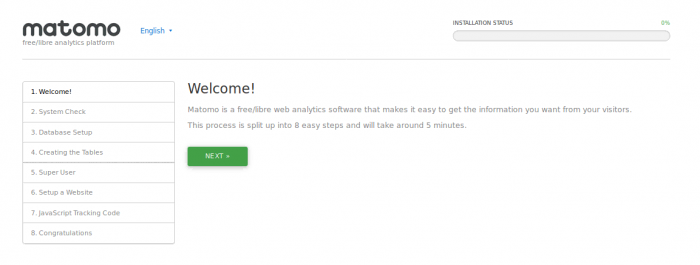
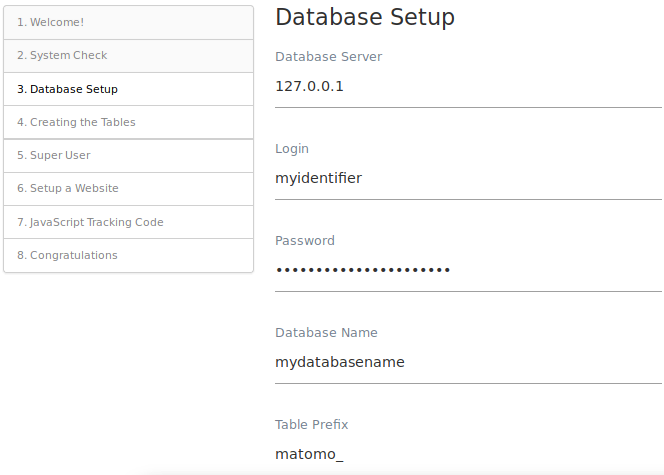
一路点击下一步即可,MySQL 数据库默认使用3306端口
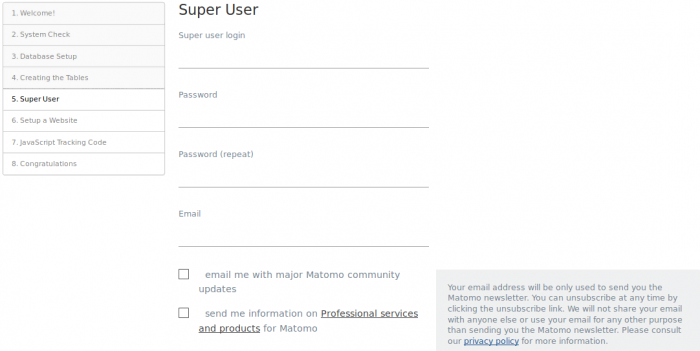
创建管理员用户名和密码
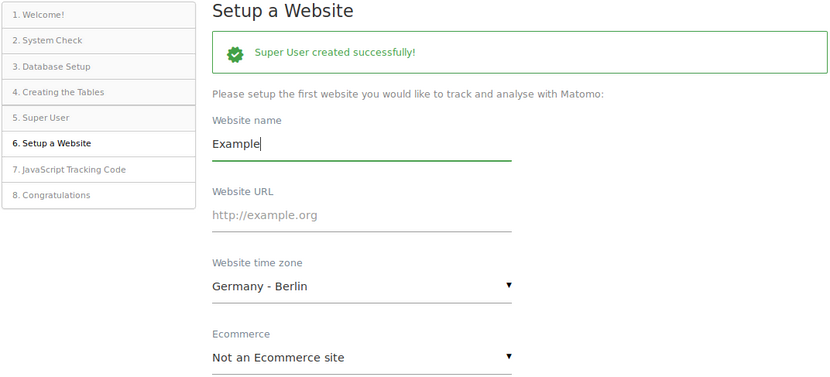
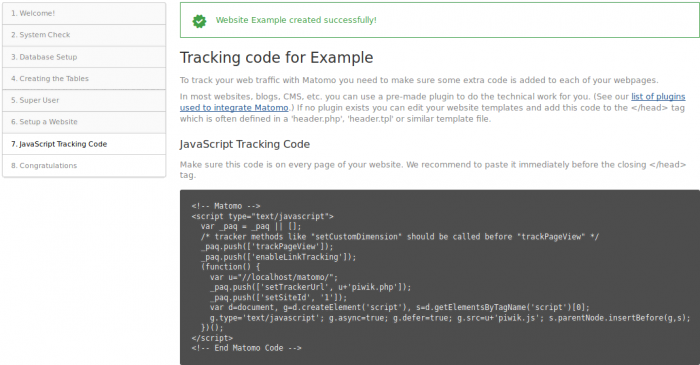
添加网站并插入追踪代码
设置禁止访问(以Nginx为例)
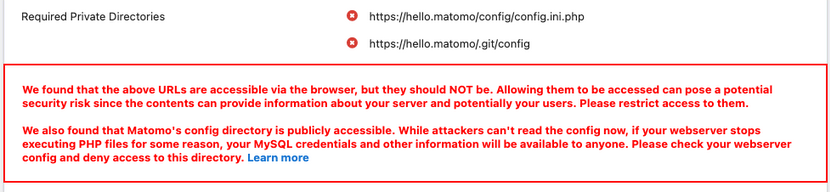
多数教程(官方Nginx配置模板似乎也不全面)并不提及这步,导致如下安全问题,此处谨提供一参考配置:
# ============================================================
# Nginx 配置模板
# ============================================================

server {
    listen 80;
    listen 443 ssl;
    # 将 example.com 替换为你的域名
    server_name example.com;
    index index.php index.html index.htm default.php default.htm default.html;
    # 将网站根目录替换为实际路径
    root /var/www/matomo;

    # ------------------------------------------------------------
    # 高优先级封锁敏感目录
    # ------------------------------------------------------------
    location ^~ /config/ { deny all; return 404; }
    location = /config    { return 404; }
    location ^~ /tmp/     { deny all; return 404; }
    location = /tmp       { return 404; }
    location ^~ /core/    { deny all; return 404; }
    location = /core      { return 404; }
    location ^~ /lang/    { deny all; return 404; }
    location = /lang      { return 404; }

    # 引入扩展配置(请按实际路径调整,或注释掉)
    # include /etc/nginx/conf.d/example.com/*.conf;

    # ------------------------------------------------------------
    # Let's Encrypt 证书验证相关(保留)
    # ------------------------------------------------------------
    # include /etc/nginx/well-known/example.com.conf;

    # SSL 配置开始
    # 将 HTTP 请求重定向到 HTTPS
    # if ($server_port !~ 443){
    #     rewrite ^(/.*)$ https://$host$1 permanent;
    # }

    # SSL 证书路径(请替换为实际文件路径)
    ssl_certificate     /etc/nginx/ssl/example.com/fullchain.pem;
    ssl_certificate_key /etc/nginx/ssl/example.com/privkey.pem;

    ssl_protocols TLSv1.1 TLSv1.2 TLSv1.3;
    ssl_ciphers EECDH+CHACHA20:EECDH+CHACHA20-draft:EECDH+AES128:RSA+AES128:EECDH+AES256:RSA+AES256:EECDH+3DES:RSA+3DES:!MD5;
    ssl_prefer_server_ciphers on;
    ssl_session_cache shared:SSL:10m;
    ssl_session_timeout 10m;
    add_header Strict-Transport-Security "max-age=31536000";
    error_page 497 https://$host$request_uri;
    # SSL 配置结束

    # 错误页面
    error_page 404 /404.html;
    error_page 502 /502.html;

    # PHP 配置(请确认 PHP 版本与实际使用的 socket 路径)
    include enable-php-83.conf;

    # URL 重写规则(请确认实际重写文件路径)
    # include /etc/nginx/rewrite/example.com.conf;

    # 禁止访问敏感文件和隐藏文件
    location ~ ^/(\.user.ini|\.htaccess|\.git|\.env|\.svn|\.project|LICENSE|README.md) {
        return 404;
    }

    # 允许访问 .well-known 目录(用于证书验证等)
    location ~ \.well-known {
        allow all;
    }

    # 禁止通过 .well-known 访问脚本或归档文件,防止滥用
    if ( $uri ~ "^/\.well-known/.*\.(php|jsp|py|js|css|lua|ts|go|zip|tar\.gz|rar|7z|sql|bak)$" ) {
        return 403;
    }

    # 设置图片等静态资源的缓存时间
    location ~ .*\.(gif|jpg|jpeg|png|bmp|swf)$ {
        expires      30d;
        error_log /dev/null;
        access_log /dev/null;
    }

    # 设置 JS/CSS 文件的缓存时间
    location ~ .*\.(js|css)?$ {
        expires      12h;
        error_log /dev/null;
        access_log /dev/null;
    }

    # 访问日志与错误日志路径(请根据实际环境修改)
    access_log /var/log/nginx/example.com.access.log;
    error_log  /var/log/nginx/example.com.error.log;

    # ------------------------------------------------------------
    # 白名单方式运行指定的 PHP 文件
    # ------------------------------------------------------------
    location ~ ^/(index|api|cron)\.php$ {
        include fastcgi.conf;
        try_files $fastcgi_script_name =404;
        fastcgi_param HTTP_PROXY "";
        # PHP-FPM 套接字路径(请替换为实际路径,例如 unix:/run/php/php8.3-fpm.sock)
        fastcgi_pass unix:/tmp/php-cgi-83.sock;
    }

    # 拒绝访问所有其他 PHP 文件
    location ~* ^.+\.php$ {
        deny all;
        return 403;
    }

    # 默认请求处理
    location / {
        try_files $uri $uri/ =404;
    }

    # 禁止访问 .ht 开头的文件
    location ~ /\.ht {
        deny all;
        return 403;
    }

    # Matomo 容器预览脚本,禁用缓存
    location ~ js/container_.*_preview\.js$ {
        expires off;
        add_header Cache-Control 'private, no-cache, no-store';
    }

    # 常见静态文件缓存 1 小时
    location ~ \.(gif|ico|jpg|png|svg|js|css|htm|html|mp3|mp4|wav|ogg|avi|ttf|eot|woff|woff2)$ {
        allow all;
        expires 1h;
        add_header Pragma public;
        add_header Cache-Control "public";
    }

    # 禁止直接访问下列目录(包含第三方库或配置文件)
    location ~ ^/(libs|vendor|plugins|misc|node_modules) {
        deny all;
        return 403;
    }

    # 将 Markdown、法律声明文件以纯文本形式返回
    location ~ /(.*\.md|LEGALNOTICE|LICENSE) {
        default_type text/plain;
    }
}有关其他Web服务器配置,请参照:
How do I fix the error private directories are accessible?
完成
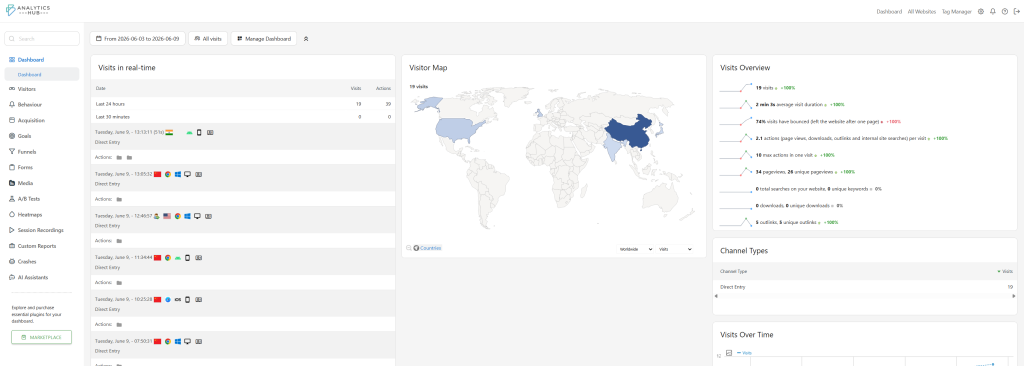
添加网站等待一段时间后就能见到效果啦:
Comments | NOTHING